Buying a printing machine is not simply a choice between speed and price. It is a production decision with measurable consequences. Smithers’ report, The Future of Global Printing to 2028, estimates the worldwide print market at approximately $843 billion in 2023. Yet its analysis also shows continuing pressure on margins, volumes, and operational efficiency. Every wasted sheet matters.
That is why buyers need a repeatable method for how to evaluate printing machine performance. Examine uptime, make-ready time, running speed, substrate range, energy consumption, and service response. Ask the supplier for production records, not only showroom samples. During a live test, inspect registration under magnification, measure colour using Delta E values, and count defective sheets after a long run. A machine that prints beautifully for ten minutes may behave differently after four hours. Small details reveal expensive weaknesses.
Frank Romano, a respected printing analyst and educator, has often observed, “The future of print is not print versus digital; it is print and digital.” His point also applies to equipment evaluation. The strongest machine may combine stable mechanical performance with useful digital controls and data reporting. PRINTING United Alliance and ISO 12647 guidance further support standardised colour control and process consistency. Still, no report can replace a realistic trial using your paper, ink, operators, and job files. That is the uncomfortable part. A perfect specification sheet may hide practical limitations. Evaluate the evidence, question assumptions, and calculate total cost over several years—not merely the purchase price.
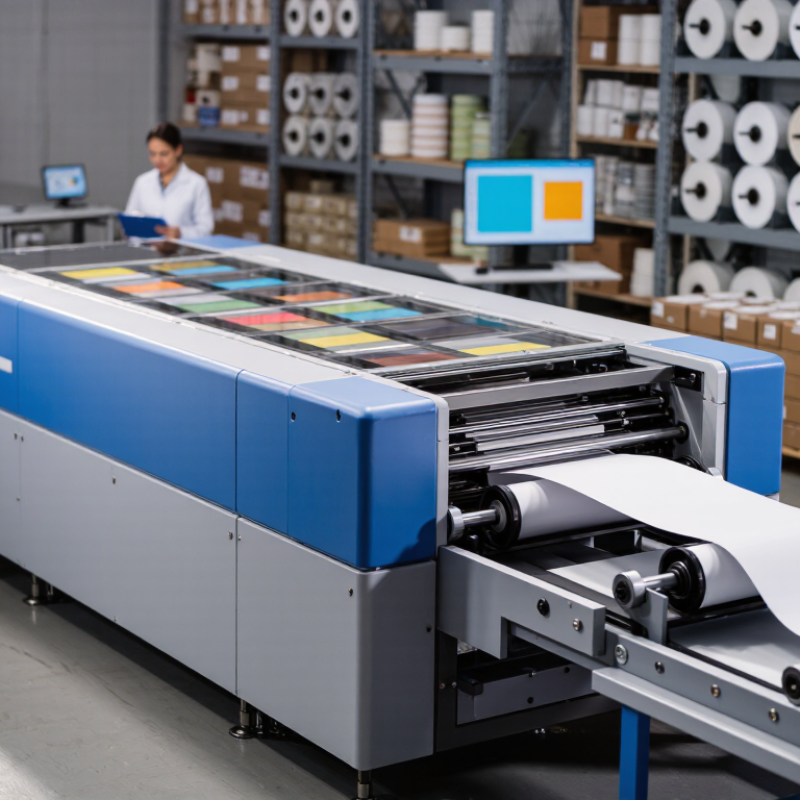
Define the Printing Machine’s Intended Use and Performance Requirements
Before buying a printing machine, define its intended use in measurable terms. A packaging line may require accurate color, fast drying, and stable registration. A commercial print room may value short setup times and variable-data capability. Start there. Record substrate types, sheet sizes, monthly volume, average run length, and acceptable defect rates. Vague requirements create expensive compromises.
Smithers’ The Future of Global Printing to 2028 estimates the global print market will reach about US$843 billion by 2028, while digital print continues expanding across short-run applications. This trend makes flexibility valuable, but flexibility is not automatically productivity. Ask suppliers to test your actual files and materials. Measure output per hour, setup waste, ink or toner consumption, drying time, and color deviation. ISO 12647 guidance can support objective process-control targets, especially for color reproduction and proofing.
Energy use also deserves attention. The U.S. Department of Energy reports that industrial motor systems can represent more than 70% of industrial electricity consumption. A machine with a high rated speed may still increase operating costs through inefficient drives, long warm-up periods, or frequent cleaning cycles. Measure the complete workflow, not only the press. I would also allow a small uncertainty margin because real production is rarely as clean as a demonstration. Ask for maintenance records, operator training requirements, and independently verified performance data. Numbers matter. So does repeatability.
Examine Key Technical Specifications and Print Quality Indicators
How to Evaluate Printing Machine Performance Before Buying
Technical specifications should match your real production needs, not just impressive numbers. Check print resolution, rated speed, duty cycle, and supported media thickness. A machine rated at 1,200 dpi may still produce weak small text if its ink control is inconsistent. Ask for output samples on your usual paper, film, labels, or textured stock. Test several sizes.
Print speed deserves careful attention. Manufacturers often measure it under ideal settings, with simple coverage and standard media. Dense graphics may reduce actual output significantly. Measure ten consecutive pages and record the time, including warm-up and finishing. Also examine paper feeding. Slight misalignment can become obvious across a long batch.
Look closely at solid color areas, fine lines, gradients, and tiny characters. Watch for banding, blurred edges, uneven density, color shifts, and poor registration between layers. Use a loupe if possible. Check whether prints remain sharp after drying, folding, or light rubbing. Color accuracy should be assessed with standard test charts and measured values, not eyesight alone. A perfect sample can mislead. I have seen attractive first pages hide feeding problems later. Request a longer demonstration, and repeat it after the machine reaches operating temperature. Noise, cleaning cycles, maintenance access, and consumable use also affect practical performance. Some specifications look excellent on paper. Their daily results may still disappoint.
Assess Production Speed, Reliability, and Operational Stability
A printing machine should be judged under production pressure, not showroom conditions. Record output at the supplier’s claimed speed, then repeat the test with your actual paper, ink, and file types. Measure saleable sheets per hour, setup time, waste, and operator interventions. A machine running quickly is not productive if it stops every few minutes.
Reliability needs evidence. Track unplanned stops during a continuous eight-hour trial, including feeder jams, registration corrections, cleaning, and software recovery. Vorne’s OEE Industry Standard identifies 85% OEE as a world-class benchmark, while many factories remain near 60%. Use OEE carefully, because poor data collection can make performance look better than it is. Ask for maintenance records, mean time between failures, and service-response figures from comparable installations. Do not accept only a polished demonstration.
Operational stability appears in repeated results. Print the same job several times and compare color density, registration, drying, and finishing accuracy. ISO 12647-based process control provides useful reference points for consistency, but your plant’s humidity and operator skills still matter. I once underestimated changeover delays; the machine met its rated speed, yet daily output fell sharply. That mistake changed my evaluation checklist. Leave room for human error. Test recovery after a jam, train a normal operator, and calculate output across the whole shift, not one perfect hour.
How to Evaluate Printing Machine Performance Before Buying
Compare production speed, reliability, and operational stability using representative non-brand acceptance-test results from an eight-hour production shift.
Higher scores indicate stronger performance. The performance index combines speed attainment against rated output, uptime during the shift, and operational stability based on unplanned stops and print-quality consistency. Always verify these indicators with your own paper, ink, artwork, and operator conditions before purchasing.
Compare Energy Use, Maintenance Needs, and Total Ownership Costs
Before buying a printing machine, measure energy use under real production conditions, not only the brochure rating. Record start-up power, standby consumption, and energy per 1,000 sheets. The U.S. EPA ENERGY STAR Imaging Equipment specification uses Typical Electricity Consumption and sleep-mode limits for this reason. Ask suppliers for test data at your planned speed, substrate, and duty cycle. A machine using 8 kWh daily may consume 2,080 kWh annually across 260 working days. Electricity tariffs can change, so calculate both average and peak-rate costs.
Maintenance can quietly exceed energy costs. Review scheduled service hours, replacement intervals, spare-part prices, and technician response times. The European Commission’s product sustainability work emphasizes durability, repairability, and resource efficiency when assessing equipment. Request a five-year maintenance history from a comparable installation. Check cleaning routines, filter changes, calibration needs, and average downtime per month. A spreadsheet is not reality. Production delays can damage delivery reliability, even when repair invoices look modest.
Tips: Build a total-cost model using purchase price, installation, training, energy, consumables, labor, maintenance, downtime, and disposal. Ask for three scenarios: normal volume, peak volume, and reduced demand. I would also test a short live run with your own files and paper. Small assumptions often fail there. Compare cost per sellable sheet, not cost per printed sheet. That difference matters when reprints, setup waste, and color adjustments increase. Use published data from the IEA’s Energy Efficiency reports to challenge optimistic energy forecasts, then verify every figure with measured site results.
Verify Safety Features, Testing Results, and Supplier Support
Before buying a printing machine, inspect its safety features in person. During a factory visit, I check guards around rollers, accessible emergency stops, and clear warning labels. I also test each stop button twice. The machine should halt quickly without creating another hazard. Safety interlocks deserve close attention. Opening a service door should prevent movement immediately. Check narrow gaps too. Fingers find them easily. I once trusted a safety label without testing the switch. That was careless, and it changed my inspection routine.
Do not rely on attractive sample prints or a short demonstration. Request documented testing results, including speed, temperature, vibration, alignment, and fault records. Ask to see several continuous runs, not one perfect sheet. Measure print consistency at the beginning and end of the test. Let an experienced operator explain the results. If possible, test your own materials under normal production settings. One clean sample proves little. However, test conditions may still differ from your workshop. Record that limitation instead of treating the report as absolute proof.
Supplier support can determine whether the machine remains productive after installation. Ask about setup, operator training, maintenance schedules, spare parts, and response times. Request these details in writing. Contact a service representative with a practical question before purchasing. A reliable supplier should answer clearly, even when the answer is inconvenient. Vague promises concern me. Confirm who handles repairs, what training includes, and how service visits are documented. Keep those records with the machine’s testing file.
FAQS
Match resolution, rated speed, duty cycle, and media thickness to your production needs. Test your usual paper or film, not just standard stock.
Time ten consecutive pages, including warm-up and finishing. Dense graphics may slow output, and feeding errors can become clearer during longer runs.
Check solid colors, fine lines, gradients, and small text for banding, blurred edges, uneven density, color shifts, and poor alignment. A loupe helps.
Request a longer run, then repeat it after the machine warms up. Check prints after drying, folding, and light rubbing. One attractive page proves little.
Measure start-up, standby, and production use under realistic conditions. Calculate energy per 1,000 sheets and compare costs across working days and electricity rates.
Include purchase, installation, training, energy, supplies, labor, maintenance, downtime, and disposal. Compare cost per sellable sheet, including setup waste and reprints.
Request service schedules, replacement intervals, spare-part prices, technician response times, and typical downtime. Cleaning and calibration can also affect daily output.
Check roller guards, emergency stops, warning labels, and safety interlocks. Test stop buttons and confirm that opening a service door prevents movement.
Ask for documented results covering speed, temperature, vibration, alignment, and faults. Review several continuous runs, and record any differences from your workshop conditions.
Confirm training, repairs, spare parts, and response times in writing. Ask a practical question before purchase. Vague promises still worry me.
Conclusion
Before purchasing a printing machine, it is essential to understand how to evaluate printing machine performance in relation to your specific production goals. Start by defining the intended applications, materials, print formats, output volume, color accuracy, and resolution requirements. Then examine technical specifications such as maximum printing speed, media compatibility, registration precision, drying or curing systems, and indicators of print quality. Samples and controlled tests can help confirm whether the machine consistently delivers the expected results.
A complete evaluation should also consider reliability, operational stability, energy consumption, maintenance frequency, replacement-part availability, and the total cost of ownership. Review safety features, operating procedures, testing records, warranty terms, training, and technical support before making a decision. A machine that combines consistent quality, dependable performance, efficient resource use, manageable maintenance, and responsive supplier assistance is more likely to provide long-term value and support sustainable production growth.

 Axis Print