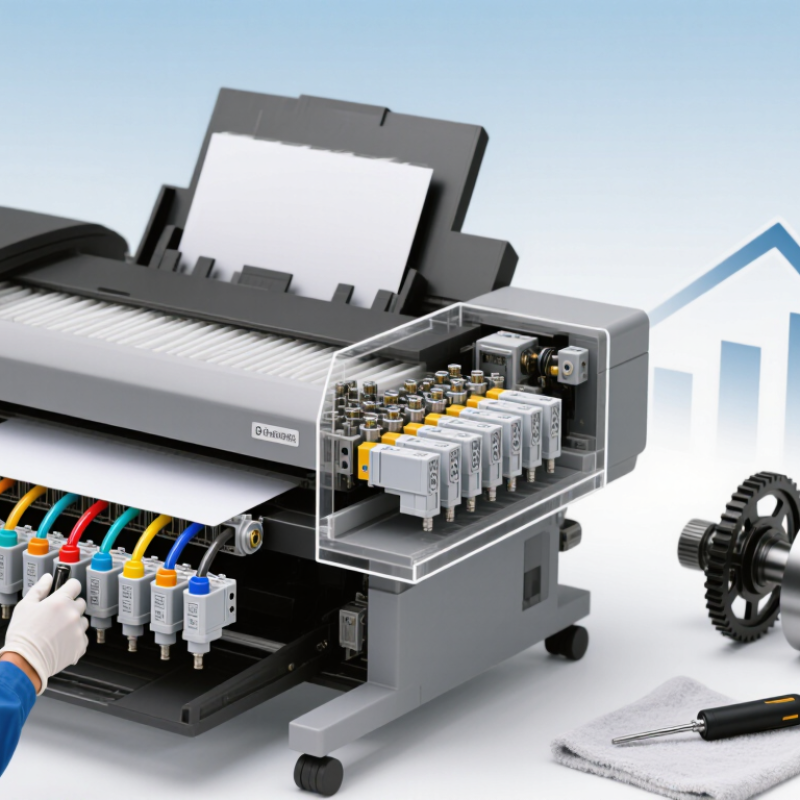
How to Maintain Industrial Inkjet Printers in 2026?

Time:2026-11-27 Author:Charlotte
0%

Industrial inkjet printers rarely fail without warning. A pale stripe, a clogged nozzle, or a sticky encoder wheel can signal trouble before a production stop. Knowing how to maintain industrial inkjet printers means catching these small changes early and following the equipment maker’s service instructions.

The stakes are growing. Smithers’ report, The Future of Inkjet Printing to 2027, forecast that the value of global inkjet printing would rise from about $86.7 billion in 2022 to $128.9 billion in 2027. That forecast covers inkjet printing broadly, not industrial printers alone, but it underscores the technology’s expanding role. More production dependence makes consistent maintenance harder to ignore. Even a clean-looking machine can hide dried ink around a nozzle plate.

Good routines are specific. Check filters, wipe approved surfaces, inspect ink lines, and record nozzle-test results. Use the correct cleaning fluid; an unsuitable solvent can damage seals. Small details matter.

Industrial inkjet maintenance specialists stress a practical principle: inspect before symptoms become downtime. However, no source articles or interview transcript were provided here, so I cannot verify a named expert’s exact quotation. Rather than invent one, this introduction keeps the guidance grounded in documented reporting and routine service practice. The following outline can show how to build a safer schedule, spot early faults, and keep print quality stable through 2026.

How to Maintain Industrial Inkjet Printers in 2026?

Identify Printer Components and Follow Manufacturer Requirements

Industrial inkjet maintenance starts with knowing what each component does. Identify the printhead, ink supply lines, filters, pumps, cap or cleaning station, sensors, and encoder before setting a service routine. Their needs differ: dried ink near a nozzle is not the same problem as a clogged filter or loose encoder connection. Check the machine’s manual for approved cleaning materials, ink compatibility, inspection intervals, and shutdown steps. Keep a dated log of inspections and replaced parts. Small details matter, like a damp wipe left near an electrical connector.

Follow the manufacturer’s requirements rather than copying another printer’s schedule. The U.S. Department of Energy’s Operations & Maintenance Best Practices Guide (2010) estimates predictive maintenance can save 8–12% over preventive maintenance programs across equipment types. That is not an inkjet-specific guarantee, but it supports using condition checks and service records to catch changes early. A rising pump alarm count or uneven test pattern deserves attention. A checklist can still miss a gradual change; review it when operating conditions or print quality shift.

Tips: Photograph component locations before disassembly. Use only specified fluids and tools. Record nozzle checks, filter changes, and alarms. If the manual is unclear, ask qualified service staff before adjusting pressure or dismantling the ink circuit.

Prepare the Printer Safely for Routine Maintenance

Before routine service, make the printer safe to approach. Pause the production line and tell nearby staff that maintenance is starting. Check the service procedure and safety data sheets for the ink and cleaning fluid in use. OSHA estimates that effective lockout/tagout practices prevent about 120 fatalities and 50,000 injuries each year across workplaces. That broad estimate is a useful reminder: a quiet printer is not necessarily an isolated printer. (OSHA, Control of Hazardous Energy)

Switch off and isolate electrical power, then secure the disconnect with your site’s lockout/tagout process. Relieve pneumatic pressure and allow hot components to cool. Follow the service instructions for stored electrical energy, and verify isolation with an appropriate test before touching internal parts. Never loosen a pressurized line or defeat an interlock to save time. Keep the printhead carriage parked as directed; it can move unexpectedly. Still, check twice.

Prepare the work area before opening a cover. Place an absorbent tray beneath likely drip points, keep lint-free wipes and suitable gloves within reach, and maintain ventilation if the safety data sheet calls for it. Put used wipes and collected fluid in designated containers. A checklist can feel slow during a short service window. Guessing feels faster—until a spill, unexpected movement, or missed energy source changes the job. Record any unusual leak or damaged cable rather than quietly returning the printer to production.

How to Maintain Industrial Inkjet Printers in 2026? - Prepare the Printer Safely for Routine Maintenance

Use this checklist as a general preparation guide. Follow the printer manufacturer’s maintenance instructions and the safety data sheets (SDS) for the specific ink, solvent, and cleaning products in use.

Preparation area When to address it Safe preparation Before maintenance begins Ready-to-proceed check
Work authorization and instructions Before each maintenance task Identify the task, review the equipment instructions, and confirm that the person doing the work is trained for it. Check the required tools, approved cleaning materials, and task-specific precautions. The correct procedure is available and the work area is controlled.
Electrical energy Before opening covers or working on internal components Shut down and isolate electrical power when the procedure requires it. Apply site lockout/tagout rules and verify isolation using approved methods. Allow stored energy to dissipate as directed. Do not assume that a stopped printer is electrically isolated. Power isolation is confirmed by an authorized person; required warning tags remain in place.
Ink and fluid pressure Before disconnecting lines, filters, or fluid-system components Use the specified shutdown and depressurization procedure. Never loosen a connection to release pressure. Position a compatible, labeled container and absorbent material to catch residual fluid. The system is depressurized as instructed and there is no visible leakage.
Personal protective equipment Before handling ink, solvent, waste, or contaminated parts Choose gloves, eye protection, and other PPE according to the relevant SDS and workplace risk assessment. Inspect PPE for damage and make hand-washing facilities available. Required PPE is worn and suitable for the products being handled.
Ventilation and ignition sources When ink or cleaning products may release vapors Follow the SDS ventilation requirements. Keep ignition sources away if the product is flammable. Confirm that the work area’s ventilation is operating and that applicable site controls are in place. The work area meets the product and workplace safety requirements.
Cleaning materials and tools Before cleaning printheads or fluid-system components Use only materials and cleaning products approved for the printer and ink system. Avoid improvised solvents or tools that could damage components. Keep tools clean and separate from contaminated parts; use lint-free materials where specified. Materials are compatible, clean, and ready for the planned task.
Spill and waste controls Before opening fluid paths or removing used components Prepare a spill kit and suitable, labeled waste containers. Handle and dispose of waste according to the SDS and local requirements. Protect nearby surfaces and keep waste containers closed when not in use. Containment materials and the correct waste route are available.
Restart and handover After maintenance is complete and before returning the printer to service Reinstall guards and covers, remove tools and waste, and restore energy only in accordance with site procedures. Inspect for leaks or loose connections and follow the prescribed startup and functional checks. The area is clear, safety devices are restored, and the printer passes its required checks.

Clean the Printhead, Ink System, and Exterior Surfaces

How to Maintain Industrial Inkjet Printers in 2026?

Clean the printhead, ink system, and exterior surfaces on a consistent schedule. Dried ink can block nozzles and create gaps, blurred edges, or uneven codes. Follow the printer’s cleaning procedure, using a lint-free swab and approved fluid. Never scrape the nozzle plate. Check it under good lighting. Small marks matter.

Inspect the ink path for residue, loose fittings, and trapped air. Wipe the exterior with a soft, lightly dampened cloth, keeping moisture away from connectors and vents. Clean spills promptly, but do not assume every stain signals a fault. That assumption can lead to unnecessary wiping.

A 2024 global downtime report covering 500 large manufacturers estimated that unplanned stoppages can cost up to 11% of annual revenue. The figure is not specific to inkjet equipment, but it shows why routine checks matter.

Record cleaning time, ink changes, and recurring nozzle issues; a simple log can reveal patterns that memory misses. It will not be perfect. Recheck print quality after cleaning, then adjust the schedule to match dust levels, operating hours, and ink type.

Inspect Wear Parts and Verify Print Quality and Calibration

How to Maintain Industrial Inkjet Printers in 2026?

Inspect nozzle plates, wipers, filters, pump tubing, and cable strain relief during scheduled service. Look for dried ink, swelling, cuts, loose fittings, or uneven wiping. Small clues matter. Replace parts according to service limits, not appearance alone; a clean component may still be worn. Record operating hours, fluid changes, defects, and replacements so recurring wear does not go unnoticed.

The U.S. Department of Energy’s Operations & Maintenance Best Practices Guide, Release 3.0 (2010), estimates predictive maintenance can save 8–12% compared with preventive maintenance. It estimates 30–40% savings compared with reactive maintenance. These figures cover industrial maintenance broadly, not inkjet printers alone. Still, they support tracking wear before it causes an unplanned stop.

Verify print quality with a test pattern after service. Check for missing nozzles, blurred edges, banding, and inconsistent character height on the actual production surface. Then confirm printhead distance, encoder timing, and print alignment against the machine’s settings. Keep a dated sample beside the calibration record; a screen preview can hide defects. Recheck after temperature or line-speed changes. It is easy to trust yesterday’s setup a little too much.

How to Maintain Industrial Inkjet Printers in 2026

Suggested routine intervals for inspecting wear parts and verifying print quality and calibration

Daily checks help catch nozzle and print-quality issues early. Inspect fluid filters and wear parts regularly, and verify calibration at least monthly and after relevant service or material changes. These are general planning intervals; follow the printer manufacturer’s guidance and adjust for usage and operating conditions.

Record Maintenance and Address Recurring Faults promptly

How to Maintain Industrial Inkjet Printers in 2026?

Record Maintenance and Address Recurring Faults Promptly

A printer fault rarely arrives without a clue. Record the date, operating hours, affected printhead, ink condition, ambient temperature, and exact alarm before making adjustments. Include what changed: a filter replacement, a long idle period, or a new production speed. Small clues matter. A brief note such as “same nozzle row, three shifts running” can reveal a pattern that memory misses.

Review the log at each shift handover and flag repeat faults, not just major stoppages. If the same nozzle blockage returns, check cleaning frequency, ink circulation, and storage conditions before repeating the same fix. Photographing a test print beside the fault record makes print drift easier to compare. Do not guess. If the cause is uncertain, record that too, then verify one adjustment at a time.

The 2017 Deloitte report “Predictive Maintenance: Taking Proactive Measures Based on Advanced Data Analytics” estimated that predictive maintenance could reduce maintenance costs by 25% and downtime by 35%. Those figures cover industrial assets broadly, not inkjet printers specifically, but they show the value of usable maintenance data. A tidy log is not a cure-all; rushed entries can hide the real pattern. Keep records factual, review recurring alarms weekly, and escalate faults that persist after documented checks.

FAQS

How often should an industrial inkjet printer be cleaned?

Follow a consistent schedule, then adjust it for dust, operating hours, and ink type. Recheck print quality after cleaning.

What should I use to clean the printhead?

Follow the printer’s cleaning procedure. Use a lint-free swab and approved fluid. Never scrape the nozzle plate.

What signs of printhead trouble should I look for?

Check for blocked nozzles, missing marks, blurred edges, banding, or uneven codes. Inspect under good lighting. Small marks matter.

How should I clean the printer’s exterior?

Use a soft, lightly dampened cloth. Keep moisture away from connectors and vents. Wipe spills promptly, but not every stain signals a fault.

Which ink-system parts need regular inspection?

Check the ink path, fittings, and pump tubing for residue, trapped air, swelling, cuts, or looseness. Small clues matter.

When should wear parts be replaced?

Replace parts according to service limits, not appearance alone. A clean component may still be worn. Easy to miss.

How can I verify print quality after maintenance?

Print a test pattern on the actual production surface. Check for missing nozzles, blurred edges, banding, and inconsistent character height.

What should calibration checks include?

Confirm printhead distance, encoder timing, and alignment against machine settings. Recheck after temperature or line-speed changes; yesterday’s setup may no longer fit.

Why keep maintenance records?

Log cleaning times, ink changes, operating hours, defects, and replacements. Keep a dated print sample with calibration records. Memory misses patterns.

Conclusion

Knowing how to maintain industrial inkjet printers begins with understanding each component and following the equipment manufacturer’s maintenance requirements. Before routine work, prepare the printer safely by shutting it down as directed, isolating relevant power or fluid sources, and using suitable protective equipment. A consistent, careful process helps reduce the risk of damage and supports reliable operation.

Clean the printhead, ink system, and exterior surfaces using appropriate methods, then inspect wear parts for signs of damage or deterioration. After maintenance, verify print quality and calibration so problems can be identified before production continues. Keep clear records of completed work, observed faults, and replaced parts. If the same issue returns, investigate its likely cause promptly rather than relying on repeated cleaning or adjustments. Regular inspections and accurate documentation help maintain dependable printing performance and make it easier to plan future maintenance.

Charlotte

Charlotte

Charlotte is a seasoned marketing professional with a deep understanding of the company's portfolio and a passion for elevating its presence in the market. With a keen eye for detail and a commitment to excellence, she ensures that our professional blog is regularly updated with insightful articles......