Maintaining the efficiency of printing equipment is essential for any business. Knowing how to extend the lifespan of printing equipment can save both time and money. Proper care and attention can prevent costly repairs and replacements.
Regular maintenance is crucial for optimal performance. Simple tasks like cleaning print heads and replacing ink cartridges on time can make a significant difference. Pay close attention to software updates and error messages. Addressing issues promptly can prevent more severe problems later.
Investing in high-quality materials is another key factor. Low-quality paper can cause jams and damage components over time. It’s vital to use the recommended supplies for your specific equipment. Relying on trusted brands adds reliability to your printing process. In summary, proactive measures will support longevity. Making these efforts regularly is worthwhile for any organization.
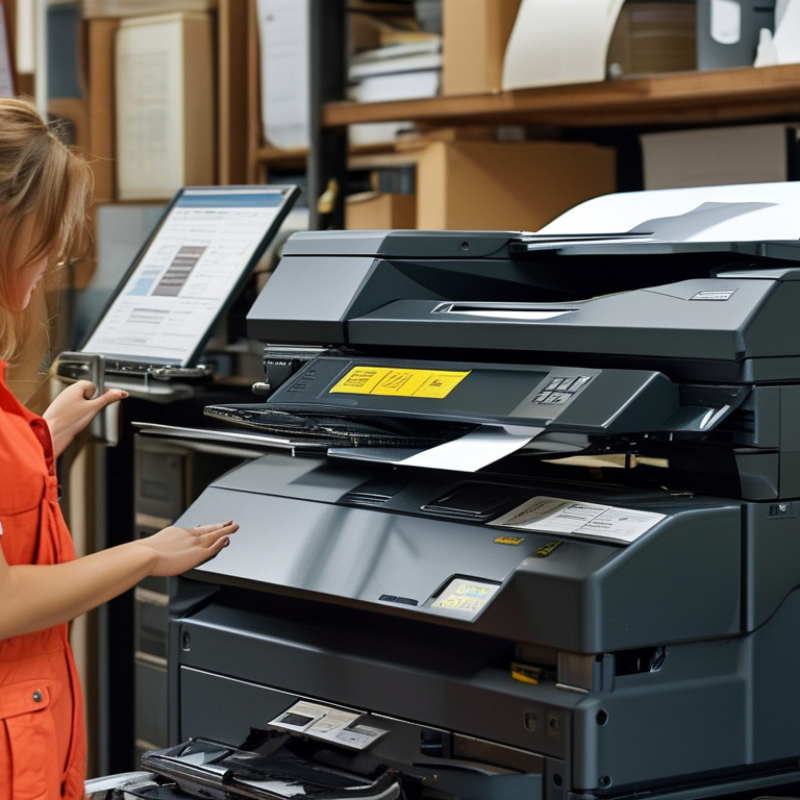
Regular maintenance is crucial for extending the lifespan of your printing equipment. Dust can accumulate in the printer, leading to mechanical issues. Cleaning the printer’s exterior and interior regularly helps prevent this.
Also, examine the cartridges and ink levels frequently. Low ink can damage print heads, creating costly repairs.
Monitor the printer’s performance constantly. Strange noises or print quality changes are signs of underlying issues. Ignoring these can lead to bigger problems later. Ensure you are using the right paper for your printer. Poor-quality paper can cause jams and wear down the rollers faster. It’s essential to use materials compatible with your printer's specifications.
Keeping track of maintenance schedules is also vital. Document when you last serviced your printer. This information can help identify recurring issues. Neglecting regular check-ups might seem harmless at first, but it often leads to unexpected downtime and expenses.
Every little detail counts in maintaining your equipment's efficiency. Take the time to reflect on your maintenance habits; they play a significant role in your printer's longevity.
When it comes to maintaining your printing equipment, the quality of consumables is crucial. Using high-quality toner or ink can significantly enhance your printer's performance. It ensures consistent print quality and can reduce the frequency of maintenance. In contrast, subpar products can lead to clogs and damage, which is costly in the long run.
One effective tip is to stay informed about the types of consumables available. Sometimes, cheaper options may seem tempting. However, they often lack the same reliability and performance. You might find that investing a bit more upfront pays off over time. Look for products that have been tested and recommended by professionals. This can help you make more informed choices for your equipment.
Additionally, consider the environment in which your printer operates. Dust and humidity can affect print quality. Regular cleaning of your printer can also protect it from potential harm. Don’t overlook the importance of maintaining the printer settings as well. Incorrect settings can lead to waste and increased wear. Balancing quality and care can ensure a much longer lifespan for your printing equipment.
Power management practices are crucial for enhancing the lifespan of your printing equipment. Many users overlook this aspect, thinking that printing devices only need regular maintenance. Yet, how you manage power can significantly impact their longevity. Using surge protectors is one way to prevent damage during voltage spikes. It’s a simple step that many forget, but it can save costly repairs or replacements.
Scheduling downtime can also be beneficial. If your printer will not be in use for extended periods, consider unplugging it. This avoids unnecessary wear. Additionally, utilizing power-saving modes can reduce energy consumption and prolong component life. Despite the convenience of leaving equipment on standby, it might be better to power down after complete tasks.
Failing to implement these power management practices can lead to higher repair costs and frequent replacements. Remember, consistent and mindful usage creates a more reliable operating environment. Think about how small actions can lead to better performance. Reflect on the habits that might be harming your equipment’s lifespan and consider making changes for improvement.
Creating the right operating environment for your printing equipment is crucial. Dust, humidity, and temperature fluctuations can cause significant wear and tear. Keep your printer in a clean, dry, and temperature-controlled area. This simple change can greatly enhance its lifespan.
Regular maintenance is essential. Schedule routine checks and cleanings. Remove dust and debris regularly. Forcing a dirty printer to work can lead to breakdowns. Invest time in small tasks like changing filters, cleaning heads, and checking ink levels. It can save money on repairs down the line.
Some users overlook the importance of using the right paper. Always choose the specified paper weight and type for best results. Using improper materials can jam the printer or cause print quality issues. Monitor the printer's performance for signs of strain. Adjust your habits based on its needs and weaknesses. Your equipment deserves attention.
Keeping your printing equipment running smoothly is crucial for any office. Regular updates to software and firmware are essential for optimal functionality. Outdated software can lead to compatibility issues and reduced performance. Each update often includes bug fixes, security patches, and enhancements that improve overall reliability.
Incorporating updates into your routine can save you from larger problems down the line. For instance, new firmware can enable additional features that enhance productivity. Neglecting updates may lead to unexpected behavior from your devices. Take a moment to schedule periodic checks for updates on all your printing devices. Manual checks can sometimes feel tedious, but they are a small investment in maintaining your equipment.
Not all updates will run smoothly. Sometimes, you may encounter errors or experience changes in functionality that require adjustment. It’s essential to read release notes and understand what each update entails. Documenting these processes can help identify recurring issues. Your commitment to staying updated can greatly affect the lifespan of your printing equipment.
| Tip Number | Tip | Description | Frequency |
|---|---|---|---|
| 1 | Regular Maintenance | Schedule regular maintenance checks to ensure all parts function correctly. | Monthly |
| 2 | Use Genuine Supplies | Always use genuine toner and ink according to your printer specifications. | Every Use |
| 3 | Keep It Clean | Regularly clean the exterior and interior components of your printer. | Weekly |
| 4 | Avoid Overloading | Do not exceed the recommended paper capacity to prevent jams. | Every Use |
| 5 | Update Software/Firmware | Stay updated on the latest software and firmware for optimal functionality. | Quarterly |
| 6 | Use Power Surges | Connect printers to surge protectors to protect against power spikes. | Every Use |
| 7 | Proper Storage | Store paper and ink in a cool, dry place to prevent damage. | Ongoing |
| 8 | Use Printer Regularly | Regular use helps prevent ink from drying out and components from seizing. | Weekly |
| 9 | Monitor Printer Performance | Keep track of any performance issues and address them quickly. | Ongoing |
| 10 | Disconnect When Not in Use | Unplug the printer when not in use to conserve energy and reduce wear. | Every Use |
: Regular maintenance extends the lifespan of your printer. It prevents dust buildup that can cause mechanical issues.
Cartridges and ink levels need regular checks. Low ink can damage print heads, leading to costly repairs.
Monitor for strange noises or changes in print quality. These signs indicate potential underlying problems.
Always use compatible paper. Poor-quality paper can create jams and increase wear on the rollers.
Documenting maintenance helps identify recurring issues. Neglect can lead to unexpected downtime and extra expenses.
Updates improve functionality, fix bugs, and add security patches. They can enhance your printer’s overall reliability.
Read the release notes to understand changes. Documenting any problems helps identify if they recur.
Yes, outdated software can lead to compatibility issues and reduced performance, impacting overall efficiency.
Yes, scheduling checks prevents larger problems. It's a small investment in maintaining effective and efficient equipment.
Reflecting on your habits is crucial. Every detail you manage affects how well and long your printer operates.
In exploring how to extend the lifespan of printing equipment, regular maintenance is of utmost importance. By performing routine checks and servicing, users can prevent common issues that may lead to costly repairs or replacements. Additionally, opting for high-quality consumables, such as ink and paper, significantly enhances printer performance and reduces wear over time.
Another crucial aspect is implementing proper power management practices to avoid unnecessary stress on the printer’s components. Creating the right operating environment, including optimal temperature and humidity levels, further minimizes wear and tear. Lastly, keeping software and firmware updated ensures the printer runs efficiently, leveraging the latest improvements for optimal functionality. By following these practices, users can significantly prolong the lifespan of their printing equipment.

Axis Print